
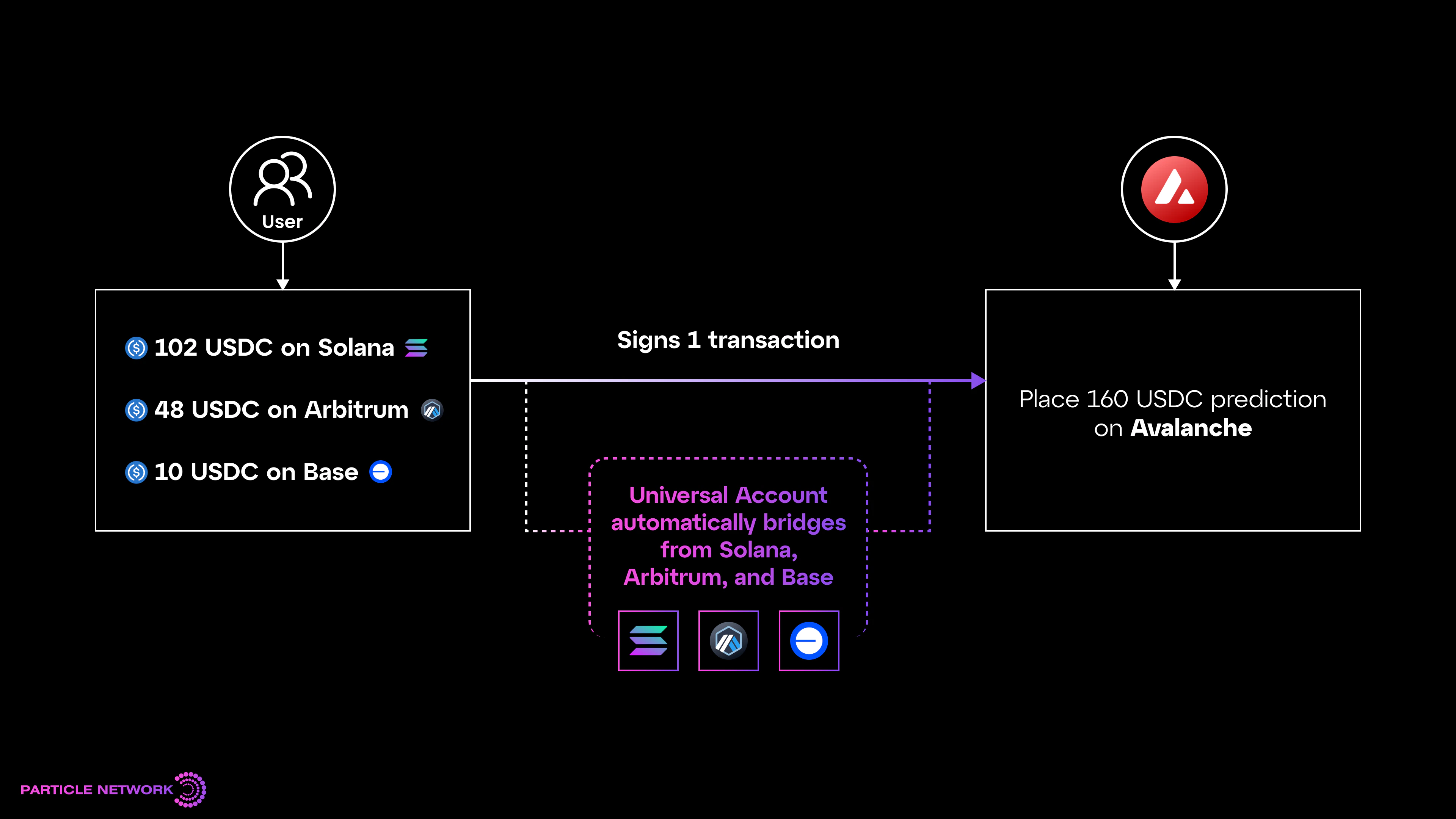
User flow of Particle Network's Universal Accounts.
What is the Universal SDK?
Universal Accounts give your users a single account and balance across all supported chains. The Universal Accounts SDK allows you to integrate Universal Accounts into your dApp. With UAs, your users can interact with your dApp without bridging, regardless of your native chain or where their assets live.Integration Flow
The Universal Accounts SDK is designed for fast, minimum-lift integrations with common wallet connection mechanisms. Under the hood, it utilizes any wallet provider object (e.g., social logins, MetaMask, WalletConnect) and routes all transactions through the user’s Universal Account, an ERC-4337 smart account implementation.Universal Accounts also leverage EIP-7702 to enable users to spend their existing assets through their Universal Account without migrating.
- Configure the account using a single config object.
- Use your existing provider object (from RainbowKit or any other connection mechanism) using the SDK.
- Push transactions through the UA instance. A user’s balance of any token will be treated as a collective of their tokens across any chain they’re on.
Quickstart: Universal Accounts
Get a live integration ready in under 5 minutes by learning the basics of Universal Accounts and implementing the SDK.Introduction to Universal Accounts
What are Universal Accounts, how do they work, and what problems do they solve?
Getting Started
A step-by-step setup guide for integrating the UAs SDK into your application.
UA SDK Reference
SDK and API reference for the Universal Accounts SDK.
How-To Guides
Learn to implement specific Universal Account features in your app.Integrate Universal Accounts
Learn how to integrate Universal Accounts into any dApp.
Use Universal Accounts as deposit flow
Learn how to use Universal Accounts as deposit flow.
Displaying An Assets Breakdown
Learn how to display the assets breakdown of a Universal Account.
Understanding Chain Abstraction
Explore the foundational concepts behind Universal Accounts and how they power chain abstraction.The tech behind Universal Accounts
Breakdown of the tech behind Universal Accounts and how they power chain abstraction.
Supported Chains
List of chains supported by Universal Accounts.