> ## Documentation Index
> Fetch the complete documentation index at: https://developers.particle.network/llms.txt
> Use this file to discover all available pages before exploring further.
# Social Logins Overview
> Overview of the Social Logins SDKs in Particle Network.
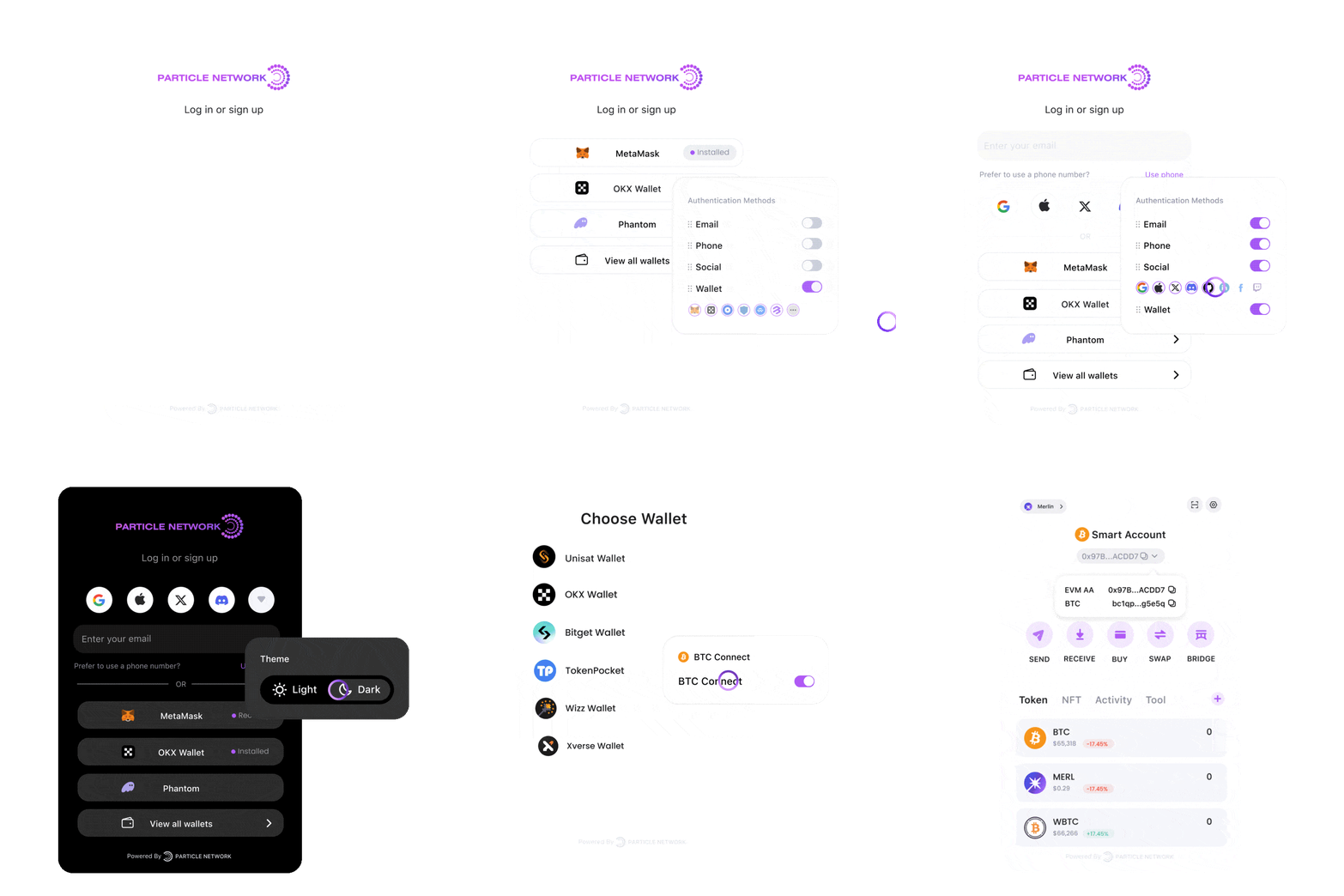 ## Particle’s Onboarding SDKs
Particle offers two SDKs for user onboarding:
* **Particle Connect**: A single modal for both Web3 wallets and social logins, with optional Account Abstraction (AA) built in.
* **Particle Auth**: Social login only, linking Web2 identities (Google, Apple, Twitter, etc.) to an EOA wallet, with full UI customization.
Both SDKs can work alongside the AA SDK for smart account features.
***
### Which one should I pick?
**Particle Connect**
* You want one modal that covers both wallet connections and social logins.
* Account Abstraction (AA) features available out of the box if needed.
* You’re fine with a standardized modal UI (limited customization).
**Particle Auth**
* You only need social logins and want to provide users with an instant wallet.
* You want full control over the UI and the ability to embed login directly into your app’s flow.
* You’re building a Web2-style onboarding with a branded experience.
***
### Particle Connect
## Particle’s Onboarding SDKs
Particle offers two SDKs for user onboarding:
* **Particle Connect**: A single modal for both Web3 wallets and social logins, with optional Account Abstraction (AA) built in.
* **Particle Auth**: Social login only, linking Web2 identities (Google, Apple, Twitter, etc.) to an EOA wallet, with full UI customization.
Both SDKs can work alongside the AA SDK for smart account features.
***
### Which one should I pick?
**Particle Connect**
* You want one modal that covers both wallet connections and social logins.
* Account Abstraction (AA) features available out of the box if needed.
* You’re fine with a standardized modal UI (limited customization).
**Particle Auth**
* You only need social logins and want to provide users with an instant wallet.
* You want full control over the UI and the ability to embed login directly into your app’s flow.
* You’re building a Web2-style onboarding with a branded experience.
***
### Particle Connect
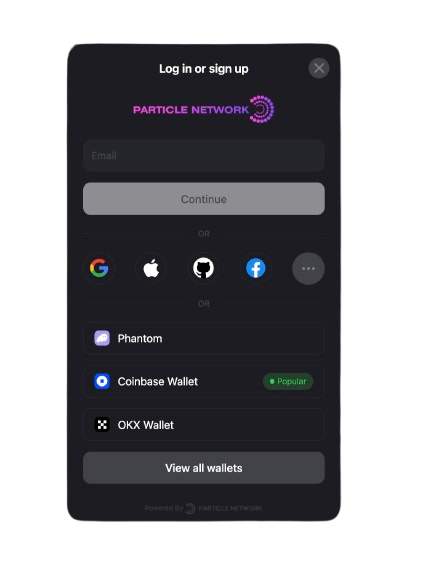 Particle Connect gives you a unified login modal where users can choose between Web3 wallets or social logins. It includes a built-in viem provider with AA features, making smart account transactions possible without extra setup.
***
### Particle Auth
Particle Connect gives you a unified login modal where users can choose between Web3 wallets or social logins. It includes a built-in viem provider with AA features, making smart account transactions possible without extra setup.
***
### Particle Auth
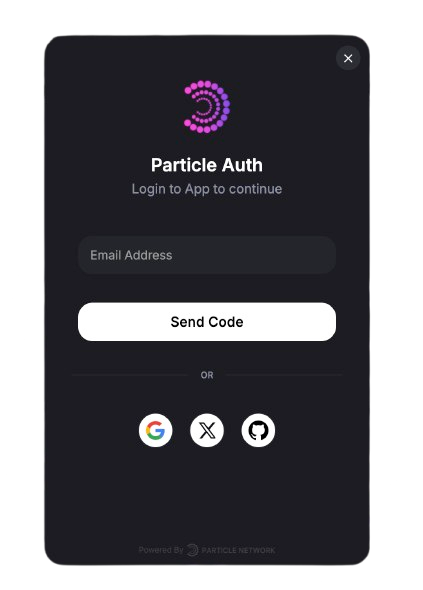 Particle Auth focuses on social logins only, provisioning an EOA wallet for the user and abstracting key management. Unlike Connect, it allows deep UI customization so you can tailor the login flow and embed it directly in your app. Pair it with the AA SDK to enable smart accounts.
***
### Additional Resources
Particle Auth focuses on social logins only, provisioning an EOA wallet for the user and abstracting key management. Unlike Connect, it allows deep UI customization so you can tailor the login flow and embed it directly in your app. Pair it with the AA SDK to enable smart accounts.
***
### Additional Resources