> ## Documentation Index
> Fetch the complete documentation index at: https://developers.particle.network/llms.txt
> Use this file to discover all available pages before exploring further.
# Web (JavaScript/TypeScript) - AA
> Leveraging Particle's AA SDK within web applications.
Particle’s **AA SDK** brings ERC-4337 to web apps: construct and send **UserOperations**, sponsor gas (gasless), pay in ERC-20 via token paymasters.
This guide assumes you already have an EIP-1193 provider (e.g., window\.ethereum from a wallet extension, WalletConnect, or a custom provider).
Check the [Quickstart](/aa/quickstart/web-aa) page for a step-by-step guide to integrate the AA SDK with [Particle Authkit](/social-logins/auth/introduction).
***
## General integration steps
The following steps outline the general process for integrating the **AA SDK** into your web application:
Connect to a user's existing wallet through `window.ethereum`, **WalletConnect**, or another compatible provider.
Initialize a Smart Account and configure your desired contract options.
Wrap your Smart Account with a provider adapter and choose how transaction gas will be paid - gasless (sponsored), user-paid with native tokens.
The wrapper automatically converts regular transactions into `UserOperations`, allowing you to use familiar libraries like **ethers.js** or **viem** with Account Abstraction.
The Particle AA SDK is open source, available at [Particle-Network/aa-sdk](https://github.com/Particle-Network/aa-sdk).
## Prerequisites
To integrate the Particle AA SDK into your web application, you'll need to:
1. **Install the SDK packages** in your project
2. **Configure your project credentials** from the Particle Dashboard
### Installation
Install the SDK in your project:
```shell yarn theme={null}
yarn add @particle-network/aa
```
```shell npm theme={null}
npm install @particle-network/aa
```
### Project setup
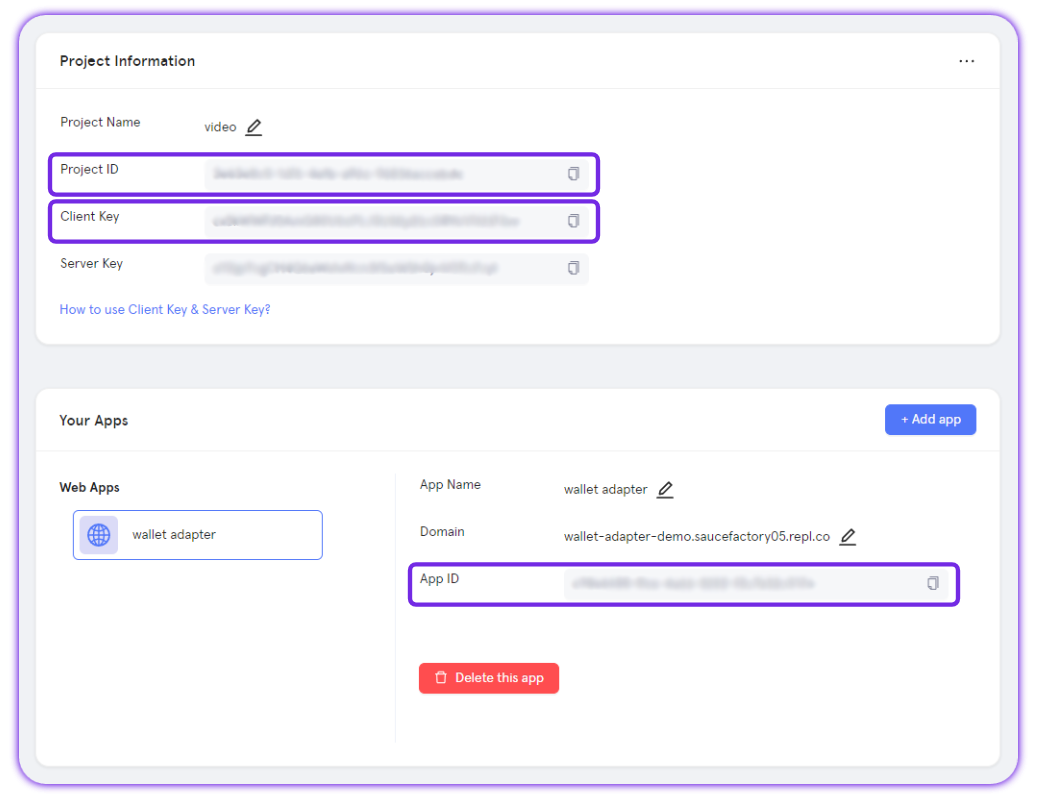
The AA SDK requires Particle project credentials from the [Particle Dashboard](https://dashboard.particle.network/).
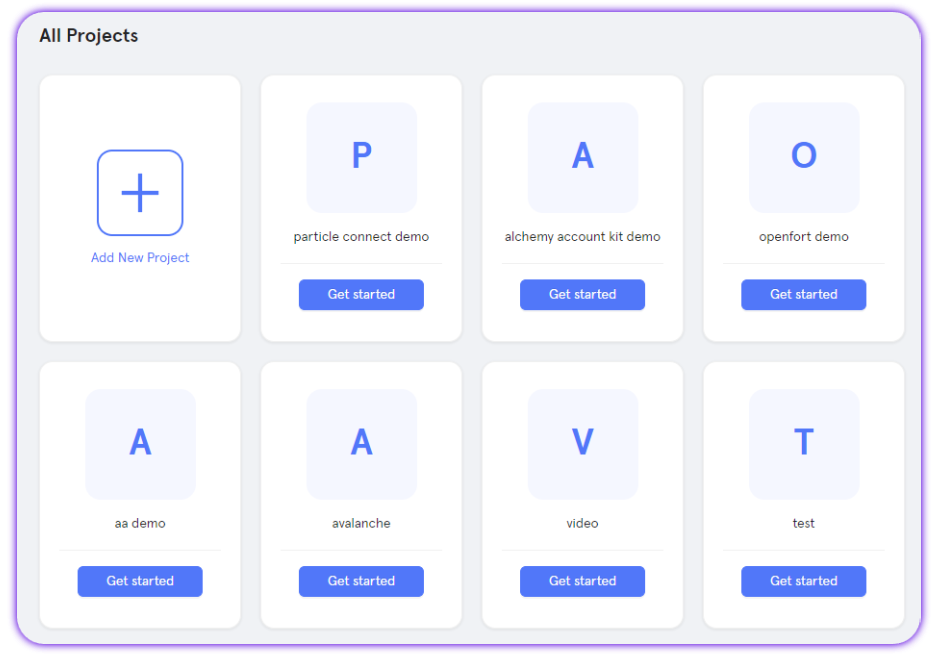
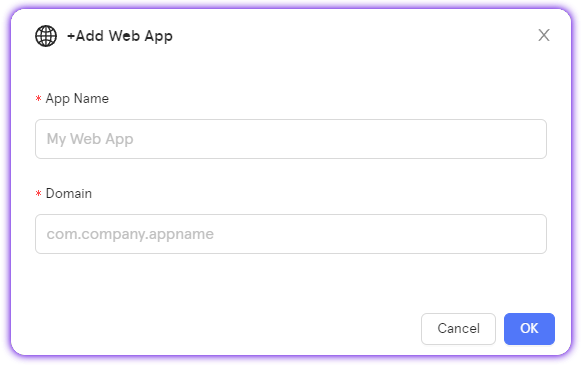
To retrieve those values for configuration within your application, follow these steps:
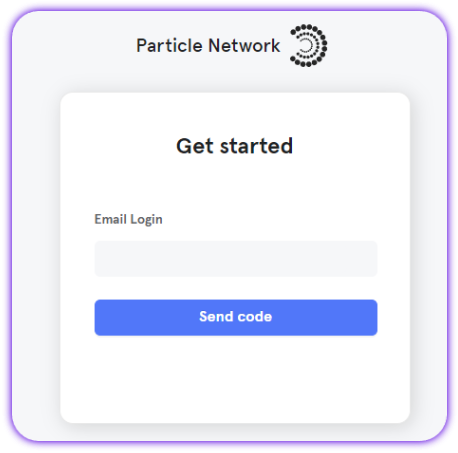
Sign up or Log in into the [Particle dashboard](https://dashboard.particle.network/)
## Particle Paymaster
Particle Network includes a **Verifying Omnichain Paymaster** to sponsor gas fees:
* **Testnet use**: gasless transactions are automatically sponsored (no setup, no deposits).
* **Mainnet use**: deposit **USDT** on Ethereum or BNB in the [dashboard](/social-logins/dashboard#paymaster). The deposit is auto-converted into the native token of whichever chain your users transact on.
If you prefer to use **Biconomy’s Verifying Paymaster** instead, create one on the [Biconomy dashboard](https://dashboard.biconomy.io) and set its `paymasterApiKeys` in your `aaOptions`.
* For **ERC-20 gas payments** (Token Paymaster), you can rely on Biconomy’s Token Paymaster. Simply pass the `feeQuote` you receive from `getFeeQuotes`, and the SDK will handle the ERC-20 settlement.
***
## Initialization
The first step is to initialize the Smart Account instance.
You can do this by creating a new instance of the `SmartAccount` class and passing in the provider and configuration options.
```ts theme={null}
import { SmartAccount } from "@particle-network/aa";
// Any EIP-1193 provider: injected wallet, WalletConnect, etc.
const provider = window.ethereum;
const smartAccount = new SmartAccount(provider, {
projectId: "YOUR_PROJECT_ID",
clientKey: "YOUR_CLIENT_KEY",
appId: "YOUR_APP_ID",
aaOptions: {
accountContracts: {
// Choose one or more implementations and list all chains you'll transact on
SIMPLE: [{ version: "2.0.0", chainIds: [1, 8453, 11155111] }], // example: Ethereum, Base, Sepolia
// Other options if needed: BICONOMY, CYBERCONNECT, LIGHT, COINBASE
},
// Optional: Biconomy Verifying Paymaster keys per chain
// paymasterApiKeys: [{ chainId: 1, apiKey: "..." }]
},
});
// Switch implementation at runtime if needed
// smartAccount.setSmartAccountContract({ name: "BICONOMY", version: "2.0.0" });
```
Find an updated list of smart account available and their chain compatibility in [Network Coverage](/social-logins/network-coverage#smart-accounts).
***
## Using an EIP-1193 provider
You can easily use any EIP-1193 provider with the smart account by wrapping it with `AAWrapProvider` and choosing how gas is paid.
Gas modes
* `SendTransactionMode.Gasless`: sponsored when eligible
* `SendTransactionMode.UserPaidNative`: user pays native gas
### ethers.js example
The following example shows how to use the smart account with `ethers.js`.
```ts ethers.js theme={null}
import { AAWrapProvider, SendTransactionMode } from "@particle-network/aa";
import { ethers, type Eip1193Provider } from "ethers";
const ethersProvider = new ethers.BrowserProvider(
new AAWrapProvider(smartAccount, SendTransactionMode.Gasless) as Eip1193Provider,
"any"
);
// Send transactions using the normal ethers API.
// Any transaction will be automatically wrapped into a UserOperation and sent using the gasless provider.
const signer = await ethersProvider.getSigner();
const txResp = await signer.sendTransaction({ to: "0x...", value: ethers.parseEther("0.01") });
const txReceipt = await txResp.wait();
```
You can find a more complete example in this [demo repository](https://github.com/Particle-Network/connectkit-aa-usage/blob/da9dc9eb0401560c697778eb4ae8ae14a6bf2fbf/app/page.tsx#L169).
***
## Direct AA usage (no wrapper)
If you want to manage `UserOps` yourself, you have various options using the smart account instance directly.
### Smart account info
Fetch the smart account address, owner, and account info.
```ts theme={null}
const address = await smartAccount.getAddress();
const owner = await smartAccount.getOwner();
const info = await smartAccount.getAccount();
```
### Quote fees (single tx or batch)
Fetch the fee quotes for a single transaction or batch of transactions.
```ts ts theme={null}
const tx = { to: "0x...", value: "0x..." };
const feeQuotes = await smartAccount.getFeeQuotes(tx);
// Use one of the fee quotes to build a UserOperation depending on your use case
const gaslessUserOp = feeQuotes.verifyingPaymasterGasless?.userOp;
const nativeUserOp = feeQuotes.verifyingPaymasterNative?.userOp;
const tokenPaymasterAddress = feeQuotes.tokenPaymaster.tokenPaymasterAddress;
const tokenFeeQuotes = feeQuotes.tokenPaymaster.feeQuotes;
```
### Build & send UserOperation
Build and send a `UserOperation` for a single transaction or batch of transactions.
Here's a complete example of sending a gasless transfer transaction using the SDK to build a `userOp`:
```ts SDK example [expandable] theme={null}
async function sendGaslessTransaction(recipientAddress) {
// Prepare transaction parameters
const tx = {
to: recipientAddress,
value: ethers.parseEther("0.01").toString(),
data: "0x",
};
// Get fee quotes for gasless transaction
const feeQuotesResult = await smartAccount.getFeeQuotes(tx);
const gaslessQuote = feeQuotesResult?.verifyingPaymasterGasless;
if (!gaslessQuote) {
throw new Error("Failed to get gasless fee quote");
}
// Send the user operation
const hash = await smartAccount.sendUserOperation({
userOp: gaslessQuote.userOp,
userOpHash: gaslessQuote.userOpHash,
});
}
```
You can find a more complete example in this [demo repository](https://github.com/Particle-Network/connectkit-aa-usage/blob/da9dc9eb0401560c697778eb4ae8ae14a6bf2fbf/app/page.tsx#L132).
### Deployment control
Check if the smart account is deployed and deploy it if not.
```ts theme={null}
if (!(await smartAccount.isDeployed())) {
const txHash = await smartAccount.deployWalletContract();
}
```
***
## Use the AA SDK in a backend environment (server-owned EOA)
You can use the SDK in a backend environment to send transactions on behalf of the smart account.
The following example shows how to use the SDK with **viem** to create a wallet client from a private key, expose it as an EIP-1193 provider to the AA SDK, then route writes through the AA wrapper.
When using the SDK in a node environment, you need to import the package as follows:
```ts Node Imports theme={null}
import { SmartAccount, AAWrapProvider, SendTransactionMode } from '@particle-network/aa/dist/esm/index.mjs';
```
```ts Node Example [expandable] theme={null}
import { SmartAccount, AAWrapProvider, SendTransactionMode } from '@particle-network/aa/dist/esm/index.mjs';
import { createPublicClient, createWalletClient, custom, http, type Address } from "viem";
import { privateKeyToAccount } from "viem/accounts";
import { baseSepolia } from "viem/chains";
// 0) Load secrets safely (env, KMS/HSM). Never hard-code.
const RPC_URL = process.env.RPC_URL!;
const PROJECT_ID = process.env.PARTICLE_PROJECT_ID!;
const CLIENT_KEY = process.env.PARTICLE_CLIENT_KEY!;
const APP_ID = process.env.PARTICLE_APP_ID!;
const OWNER_PK = process.env.EOA_PRIVATE_KEY!; // hex string, "0x..."
const chain = baseSepolia;
// 1) Public client for reads
const publicClient = createPublicClient({ chain, transport: http(RPC_URL) });
// 2) Wallet client from private key (this is the Smart Account owner)
const ownerAccount = privateKeyToAccount(OWNER_PK);
const ownerWalletClient = createWalletClient({
account: ownerAccount,
chain,
transport: http(RPC_URL),
});
// 3) Expose the owner wallet as a minimal EIP-1193 provider for the AA SDK
const ownerEip1193 = {
request: (args: any) => ownerWalletClient.request(args),
} as any;
// 4) Create the Smart Account (list all chains you’ll use)
const smartAccount = new SmartAccount(ownerEip1193, {
projectId: PROJECT_ID,
clientKey: CLIENT_KEY,
appId: APP_ID,
aaOptions: {
accountContracts: {
SIMPLE: [{ version: "2.0.0", chainIds: [chain.id] }],
// You can add BICONOMY / CYBERCONNECT / LIGHT / COINBASE here if needed
},
// Optional: Verifying/Token Paymaster keys per chain
// paymasterApiKeys: [{ chainId: chain.id, apiKey: "..." }],
},
});
// 5) Wrap writes through AA; choose gas mode
const aaProvider = new AAWrapProvider(smartAccount, SendTransactionMode.Gasless); // or UserPaidNative
// 6) A wallet client for writes that routes requests to the AA provider
const aaWalletClient = createWalletClient({
chain,
account: (await smartAccount.getAddress()) as Address, // the smart account address
transport: custom({
request: (args) => aaProvider.request(args as any),
}),
});
// Reads use the public client
const saAddress = (await smartAccount.getAddress()) as Address;
const balance = await publicClient.getBalance({ address: saAddress });
// Writes are turned into UserOperations under the hood
const txHash = await aaWalletClient.sendTransaction({
to: "0xRecipient...",
value: 0n, // viem uses bigint
});
console.log("sent via AA:", txHash);
```
You can find a complete implementation in this [demo repository using the AA SDK to interacti with Circle Gateway](https://github.com/Particle-Network/circle-gateway-particle-aa-demo).
## Master reference
The following table is a **method-level reference** for the `SmartAccount` class. Use it when you need exact signatures or want to explore functionality beyond the common flows shown earlier (initialization, fee quotes, sending transactions).
Most methods follow the same input/output patterns as the examples above, so you can usually adapt them directly into your own code.
| Class | Methods | Parameters (\* indicates optional) |
| ------------ | ----------------------- | ----------------------------------- |
| SmartAccount | constructor | provider, config |
| SmartAccount | setSmartAccountContract | contract |
| SmartAccount | getChainId | |
| SmartAccount | getAccountConfig | |
| SmartAccount | getPaymasterApiKey | |
| SmartAccount | getFeeQuotes | tx |
| SmartAccount | buildUserOperation | tx, feeQuote, tokenPaymasterAddress |
| SmartAccount | signUserOperation | userOpHash, userOp |
| SmartAccount | sendUserOperation | userOpHash, userOp |
| SmartAccount | sendSignedUserOperation | userOp, sessionDataParams\* |
| SmartAccount | sendTransaction | tx, feeQuote, tokenPaymasterAddress |
| SmartAccount | getAccount | |
| SmartAccount | getAddress | |
| SmartAccount | getOwner | |
| SmartAccount | isDeployed | |
| SmartAccount | deployWalletContract | |
| SmartAccount | sendRpc | arg |
| SmartAccount | createSessions | options |
| SmartAccount | validateSession | targetSession, sessions |